 Your medical practice website can have great content, strong SEO, and compelling provider bios, but if patients don’t know what to do next, you’re leaving potential appointments on the table.
In this episode of the DrMarketingTips Show, Jennifer and Corey break down one of the smallest elements of your website that can have an outsized impact on patient conversions: the call to action (CTA).
From replacing vague buttons like “Learn More” and “Submit” to reducing friction and creating authentic urgency, they share five practical rules for writing patient-first CTAs that make the next step clear. Plus, learn how better calls to action can improve the user experience and support your broader SEO and digital marketing strategy.
Tune in to Discover:
- How to shift from transactional CTAs to language focused on what the patient actually wants
- Why your CTA should clearly communicate exactly what happens after someone clicks
- When phrases like “Learn More,” “Sign Up,” and “View More” may be hurting conversions
- How to write concise, specific CTAs that work on mobile devices
- Ways to create authentic urgency without resorting to manufactured pressure or marketing gimmicks
Take a few minutes to audit the buttons on your website. Small changes to your CTAs can reduce friction, encourage patients to take the next step, and help turn more website visitors into appointments.

Subscribing and Rating Our Podcast
If you like what you heard, please take a few seconds and subscribe, rate and review our show on Apple Podcasts. Here’s how:
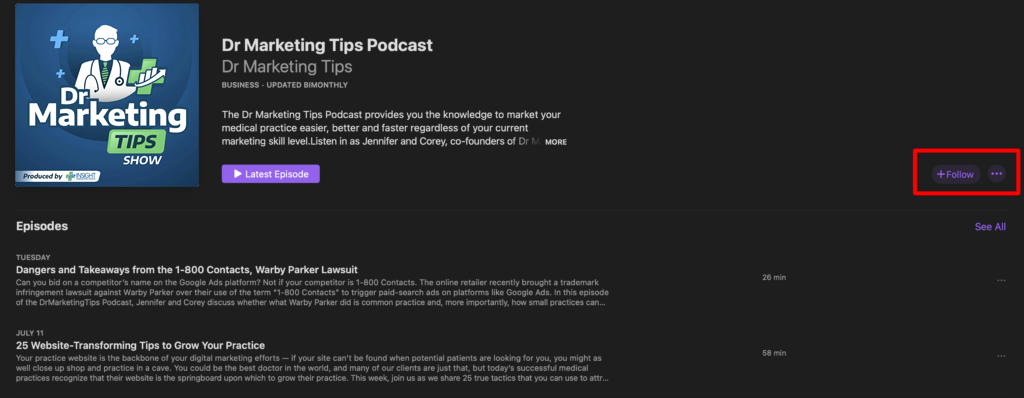
Subscribe
To subscribe, click this link to open Apple Podcasts on your computer and then click “Listen on ” button next to the artwork. This will redirect to the Apple Podcasts app where you click the “+Subcribe” button on the righthand side.
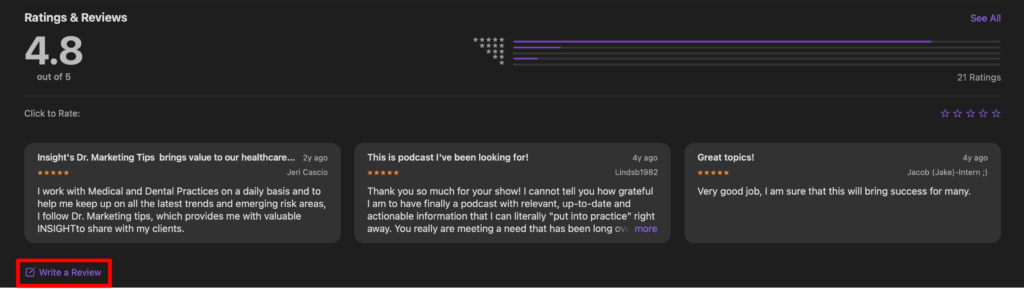
Ratings and Reviews
To leave us a rating and review, scroll down to the “Ratings and Reviews” section below the episode listings. Then, you can click the button that says “Write a Review” and proceed to give us 5 stars *wink*.